As a teacher and plus member, you can now use Helpful Games AI directly in the game creator – and get ready-made tasks generated in seconds, tailored to your subject and level.
Save time – focus on teaching
The AI feature works best when you lay the groundwork yourself. Start by creating the game, add a game level, and write in a few of your own questions and answers. The more you have added, the better the AI understands what you are looking for – and the more accurate the generated tasks will be.
When you are happy with your base content, click the “AI-generate more tasks” button – and the AI fills in with similar tasks in the same style and subject. You review, adjust, and publish. Done!
How to do it
- Create the game and add a game level. Choose a game type and set up the basic structure in the game creator.
- Write in a few of your own questions and answers. The more tasks you add, the better the AI understands the content, subject, and difficulty level you want. This is the key to a good result.
- Click “AI-generate more tasks”. The AI analyses your existing tasks and generates more in the same style – usually 5 tasks per generation. You can generate up to 10 times per session.
- Review and publish. Edit, delete, or add tasks as usual – and publish when you are ready.
Tip: more input gives better output
Have you already added a game name, description, and a couple of your own tasks? Then the AI has enough context to generate really accurate questions. The more of your own tasks you start with, the more closely the results will resemble your content and style.
Works with these game types
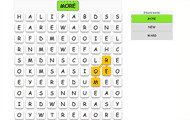
Link Up, Memory, Multiple Choice, Free text answers, Letter grid, Guess the word, Mastermind, and Put in Order.
Note: The feature requires a plus membership and a teacher account. It is not available for free members or parent accounts.
Not a plus member yet? Compare our memberships and become a plus member to use this feature.