Public top charts
Now, as a student, you can see your place on top charts on Helpful Games. You’ll find the top charts when you sign in and click on Top charts: As a teacher or parent you can choose to hide the top […]
Now, as a student, you can see your place on top charts on Helpful Games. You’ll find the top charts when you sign in and click on Top charts: As a teacher or parent you can choose to hide the top […]
A new template for user games has now become available. You can now create your own matching card memory game with either text, image or both text and image. You can also select the number of cards that will be […]
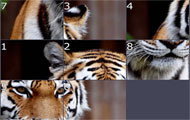
On Helpful Games, everyone can create their own games. We create templates that you can then easily use to create your games. Now we have made a new game template called Image markups. You upload a large image and then […]
Now we have added a feature where you can set a time restriction on rounds when students play different levels in your own games. You will find the feature where you edit a game level. The time limit must be […]
Now, students can get a better view of their playing. If a student log in and go to the page with the game results, there will now be a summary of the game results at the top: New measurements are the number […]
In most games on Helpful Games, there is no time pressure. For some students, however, it may be encouraging to complete something within a certain time. For example, it can be completing a certain multiplication table within 30 seconds. Now you […]
Many teachers have many and large classes to manage on Helpful Games. We have therefore introduced a feature to bulk edit student information by classes or groups. You’ll find the feature if you log in, go to your groups, and […]
We have introduced a more advanced text editing on several functions: When creating your own game levels of type ClozeTest you can now format the text with the following styles: bold, italic, underline, strike through, superscript, subscript. When you describe […]
As a student you may now choose which animal to display in the scoreboard. Log in as a student and go to the page that displays current ranking level. Navigate to that page by either clicking on your animal in […]
Now, you as a teacher or parent may reward your students with gold stars for their achievements at Helpful Games. You’ll find their achievements along with the other reports. There you may choose which performances you want to see and […]