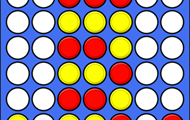
If you are a teacher, you now can create your own game where the student will link questions with the right answers. You can upload images, audio and video and choose whether the texts can be read aloud or not. A tip is to first create a game of ...
We have now upgraded the game types multiple-choice questions and questions with free text answers by making it possible to hide either the question text and / or the answer options. When they are hidden, you can only listen to the text. It may be ...
In the game type with free text answers, it is now possible to enter up to 3 correct answers. Before, you as a game creator had to enter only 1 correct answer. That usually works well, but sometimes we need to be able to allow for e.g. two ...
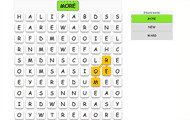
Now there is a new type of game where you have to figure out a hidden English word. The game is similar to Mastermind where the player must figure out color codes. Here it's English words that must be figured out. There are many game levels and ...
Now we have finally launched the option to buy your plus membership with a debit or credit card and also using your PayPal account. When you buy your plus membership, you also get the activation code instantly instead of having to wait for our ...
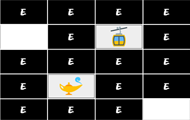
One of our popular game types has now become even better. Game levels with memory can now be created with read-out speech synthesis of text. This makes language learning better as the student gets the opportunity to practice pronunciation and use ...
We have now made a big improvement in the speech synthesis for reading out questions and answers on Helpful Games. We now use the same speech synthesis regardless of which device you use, which means that your students will be able to get the best ...
There are several ways to cancel a game round, but now most games have a button called Cancel which cancels the entire game round regardless of how many questions the student has answered. The result is saved as usual as a cancelled round. All ways ...
Do you want access to an existing student or group? New teacher in a new class or new student in the class? There may be many reasons for wanting access to an existing student account or student group as a teacher. Now we have facilitated this ...
When the student plays at Helpful Games there is now labels on the game levels that may be difficult. It facilitates the student's choice of level, but also gives an understanding of why a level suddenly seems hard. Read about the different number ...